Procreate Brushes for Illustration: Elevating Digital Art with Precision and Texture
The landscape of digital illustration has shifted dramatically in the last decade. What was once a niche hobby reserved for those with expensive desktop setups has evolved into a vibrant, accessible ecosystem where creativity thrives on tablets and smartphones. At the heart of this revolution is Procreate, an application that has become synonymous with modern digital painting. However, the software itself is only as powerful as the tools within it. This is where specialized Procreate Brushes for Illustration become indispensable. They are not merely presets; they are the digital equivalent of a master artist’s curated collection of sable hairs, charcoal sticks, and worn-out pencils.
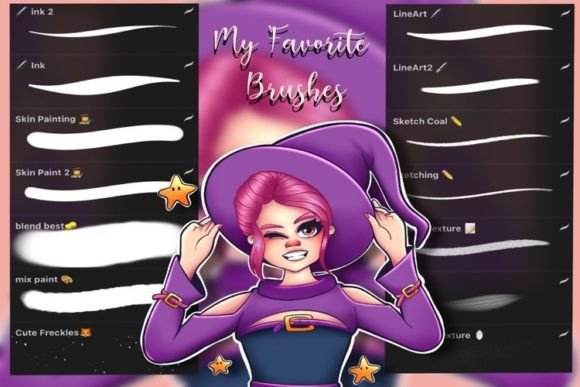
For professionals, freelancers, and hobbyists alike, the right brush set can bridge the gap between technical proficiency and artistic expression. A comprehensive collection, such as a set containing 25 amazing brushes designed for versatility, offers more than just convenience. It provides a structured workflow that allows creators to move seamlessly from rough concepts to polished final pieces without switching applications or hunting for compatible tools.
The Evolution of Digital Toolkits
In the early days of digital art, artists often struggled to replicate the organic feel of traditional media. The lines were too perfect, the colors too flat, and the textures nonexistent. Today, user expectations have changed. Audiences and clients alike crave authenticity. They want digital art that feels hand-crafted, with visible grain, subtle imperfections, and the warmth of physical media. This shift has driven developers and artists to create sophisticated brush engines that mimic real-world physics.
Modern workflows demand efficiency. A freelance illustrator working on a tight deadline cannot afford to spend hours tweaking individual brush settings. Instead, they rely on pre-configured, high-quality assets that work out of the box. A well-designed brush set addresses this need by offering immediate usability. When a set includes specific categories like lineart, sketching, texturing, and watercolor effects, it mirrors the natural progression of an illustration project. This alignment with creative habits reduces friction and allows the artist to stay in a state of flow.
Deconstructing the Essential Brush Categories
To understand the value of a curated collection, it is helpful to look at the specific roles different brushes play in the illustration process. A robust set typically covers four critical areas, each serving a distinct purpose in the creation of amazing art.
Lineart Brushes: The Foundation of Clarity
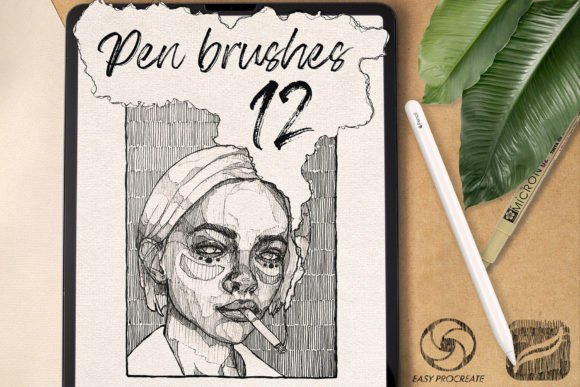
Lineart is often the skeleton of an illustration. It defines shapes, establishes perspective, and guides the viewer’s eye. Poor quality lineart brushes can result in jagged edges or inconsistent pressure sensitivity, which distracts from the overall composition. High-quality lineart brushes are engineered to respond intuitively to stylus pressure, producing smooth, tapered lines that vary naturally in weight. Whether you are creating intricate comic book panels or clean vector-style icons, having a reliable lineart tool is non-negotiable for professional results.
Sketch Brushes: Capturing the Initial Spark
Before the final lines are drawn, there is the sketch. This phase is about exploration, speed, and idea generation. Sketch brushes need to feel loose and forgiving. They should allow for rapid gestural movements without getting in the way. A good sketch brush mimics the friction of graphite on paper, providing enough resistance to feel controlled but enough slip to encourage fluid motion. This stage is crucial for entrepreneurs and designers who use illustration to brainstorm product concepts or marketing visuals quickly.
Texture Brushes: Adding Depth and Reality
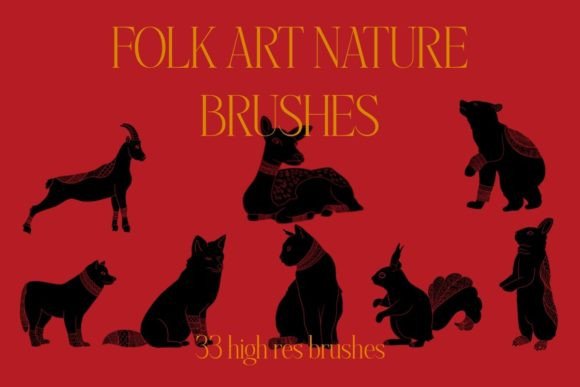
Flat color fills can make digital art look sterile. Texture brushes introduce complexity and visual interest. They can simulate the roughness of canvas, the grain of paper, or the speckles of spray paint. By layering these textures, artists add depth and dimension to their work. For marketers and bloggers, textured illustrations often perform better because they feel more approachable and less "corporate." These brushes allow creators to infuse personality into brand assets, making them stand out in crowded social media feeds.
Watercolor Brushes: Emulating Organic Flow
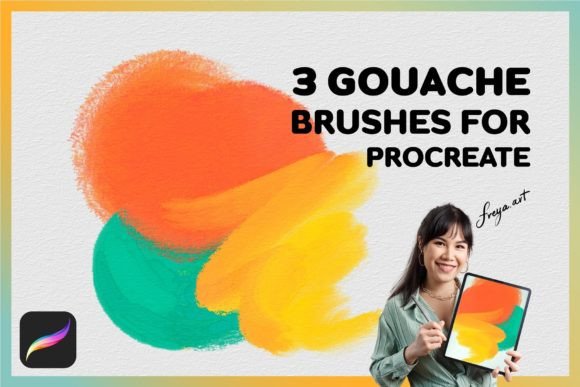
Watercolor is one of the most challenging mediums to replicate digitally due to its unpredictable nature. Advanced watercolor brushes use complex algorithms to simulate wet-on-wet blending, edge blooming, and pigment granulation. When used correctly, they produce soft, ethereal effects that are difficult to achieve with standard round brushes. This capability is particularly valuable for illustrators working in children’s books, greeting cards, or lifestyle branding, where a soft, hand-painted aesthetic is highly prized.
The Importance of Included Assets: Watercolor Paper Texture
A brush set is significantly more valuable when it includes complementary assets. For instance, including an extra watercolor paper texture in JPG format at 300 DPI is a thoughtful addition that enhances the realism of watercolor brushes. Digital watercolor looks most convincing when painted over a textured background that mimics cold-press or hot-press paper.
At 300 DPI, this texture is print-ready, meaning artists can use it for both digital publications and physical products like prints or merchandise. This integration saves time, as users do not need to source high-resolution paper textures from external libraries. It ensures that the digital painting environment closely resembles a physical studio setup, reinforcing the tactile experience of creating art.
Practical Implications for Modern Creators
For professionals and business owners, investing in high-quality Procreate Brushes for Illustration is a strategic decision. It impacts productivity, brand consistency, and output quality. Here is how these tools fit into various professional contexts:
- Freelancers and Agencies: Speed is currency. A versatile brush set reduces the time spent on technical adjustments, allowing for faster turnaround times on client projects.
- Educators and Coaches: Clear, engaging visuals help explain complex concepts. Textured and hand-drawn elements can make educational content more memorable and less intimidating.
- Entrepreneurs and Marketers: Unique visual identity is key. Using custom brushes helps avoid the generic look of stock imagery, enabling brands to craft a distinctive visual voice.
- Hobbyists and Lifelong Learners: Accessibility matters. A user-friendly brush set lowers the barrier to entry, allowing beginners to achieve satisfying results early in their learning journey, which encourages continued practice.
Adapting to Changing Creative Habits
The rise of remote work and the gig economy has led to more solitary creative practices. Artists are no longer always part of large studio teams; many are solo practitioners managing every aspect of their business. In this context, tools that simplify the technical side of art creation are vital. A well-organized brush set acts as a virtual assistant, handling the nuances of media simulation so the artist can focus on composition and storytelling.
Furthermore, the trend towards multi-platform content creation means that artwork must look good on small mobile screens as well as large desktop monitors. High-resolution textures and scalable lineart ensure that illustrations remain crisp and detailed across all devices. This versatility is essential for creators who repurpose content for Instagram, blogs, newsletters, and print materials.
Recommendations for Getting Started
If you are looking to enhance your digital toolkit, consider the following steps to maximize the utility of your new brushes:
- Experiment with Settings: Even the best brushes may need minor tweaks to suit your personal style. Spend time adjusting size, opacity, and flow to find your sweet spot.
- Layer Wisely: Use separate layers for lineart, color, and texture. This non-destructive workflow allows you to edit individual elements without affecting the whole piece.
- Utilize the Paper Texture: Import the included 300 DPI watercolor paper texture as your bottom layer. Set the blending mode of your watercolor brushes to multiply or darken for realistic interactions.
- Practice Consistency: Stick to a limited palette of brushes for each project. Overusing too many different tools can lead to a disjointed final image. Mastery comes from repetition.
In conclusion, the right tools empower creativity. A comprehensive set of Procreate Brushes for Illustration that includes lineart, sketch, texture, and watercolor options, along with high-resolution paper textures, provides a solid foundation for any digital artist. By understanding the specific role of each brush and integrating them into a streamlined workflow, creators can produce work that is not only technically proficient but also emotionally resonant and visually compelling. As digital art continues to mature, the demand for authentic, hand-crafted aesthetics will only grow, making these tools an essential investment for anyone serious about their craft.