Evaluating Procreate Sketch Soft Brushes for Digital Illustration
Digital illustration has evolved significantly, with artists increasingly seeking tools that bridge the gap between traditional media and digital convenience. Among the myriad of assets available for iPad users, specialized brush sets play a critical role in defining an artist’s workflow. One such collection gaining attention is the Procreate Sketch Soft Brushes set. This article provides an objective evaluation of this toolset, examining its features, practical applications, and suitability for various artistic goals to help you determine if it aligns with your creative needs.
Understanding the Toolset
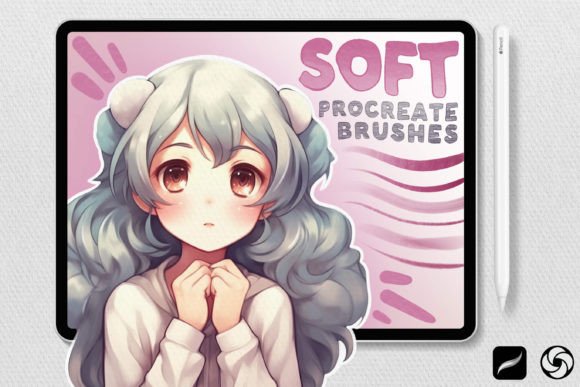
The Procreate Sketch Soft Brushes collection consists of 39 meticulously crafted brushes designed specifically for the Procreate application. Unlike generic brush packs that may offer a broad but shallow selection, this set focuses on the foundational stages of digital art: sketching, drawing, shading, and blending. The core promise of these brushes is authenticity. They are engineered to replicate the tactile feedback and visual texture of traditional hand-drawn media, aiming to reduce the sterile feel often associated with digital lines.
Each brush in the collection is hand-drawn with attention to detail, ensuring that the stroke dynamics respond naturally to pressure and tilt. This level of customization is essential for artists who rely on subtle variations in line weight and opacity to convey emotion and depth in their work.
Key Features and Functional Breakdown
To evaluate the utility of this brush set, it is helpful to categorize the tools by their primary function within the artistic process. The collection is divided into four distinct categories, each serving a specific purpose in the workflow.
- Sketch Brushes: These are designed for the initial phases of creation. They provide a natural, hand-drawn feel ideal for roughing out concepts and establishing composition without the rigidity of vector-like lines.
- Drawing Brushes: Once the foundation is laid, these brushes allow for precision. They are suited for refining outlines and adding intricate details, offering greater control for clean, definitive strokes.
- Shading Brushes: Depth and dimension are critical in realistic illustration. These brushes facilitate the creation of shadows and gradients, helping artists build volume and drama in their compositions.
- Blending and Pencil Brushes: The set includes tools for seamless color transitions and textures that mimic traditional graphite. This allows for smooth gradients and the subtle grain characteristic of pencil-on-paper artwork.
Benefits for Digital Artists
For many illustrators, the primary advantage of using Procreate Sketch Soft Brushes is the reduction of friction between thought and execution. When digital tools feel intuitive, artists can focus more on creativity and less on technical adjustments. The soft edges and organic textures provided by this set can make digital paintings feel warmer and more approachable.
Another significant benefit is versatility. With 39 unique options, the set supports a wide range of styles, from loose, expressive sketches to tight, detailed renderings. This diversity allows artists to experiment with different techniques without needing to purchase multiple specialized packs. For aspiring illustrators, having a comprehensive toolkit in one place simplifies the learning curve, allowing them to explore various artistic methods efficiently.
Tradeoffs and Considerations
While the benefits are notable, potential users should consider certain tradeoffs. First, the "soft" nature of these brushes may not be suitable for all genres. Artists working in hard-edge graphic design, comic book inking, or technical illustration may find the organic texture too imprecise or difficult to control for sharp, clean lines. In such cases, harder, more defined brushes might be a better fit.
Additionally, the effectiveness of these brushes depends heavily on the user’s hardware and settings. The pressure sensitivity and tilt response require a well-calibrated Apple Pencil and a comfortable grip. Users who prefer styluses with different tip textures or those who do not utilize tilt features may not fully experience the intended nuances of the brush engine.
There is also the consideration of workflow integration. If an artist already has a highly customized personal brush library, integrating a new set of 39 brushes may require time to organize and test. The value proposition diminishes if the user ends up relying on only two or three favorites from the pack while ignoring the rest.
Ideal Use Cases
This brush set is a strong fit for several specific scenarios:
- Concept Art and Ideation: The sketch brushes are excellent for rapid prototyping of characters and environments, where speed and flow are more important than pixel-perfect accuracy.
- Portrait and Figure Drawing: The shading and blending tools are particularly effective for rendering skin tones and soft transitions, making them valuable for portrait artists.
- Traditional Media Emulation: Artists who miss the feel of pencil and charcoal will appreciate the texture and subtlety captured by the pencil brushes.
- Beginner to Intermediate Learners: Those still developing their digital painting skills can benefit from pre-configured brushes that handle much of the textural heavy lifting, allowing them to focus on form and light.
When to Consider Alternatives
Despite its strengths, Procreate Sketch Soft Brushes may not be the optimal choice for everyone. If your primary goal is creating crisp, scalable vector-style graphics, you might be better served by brushes designed for line art or by using a vector-based application altogether. Similarly, if you specialize in abstract expressionism or heavy impasto effects, you may need brushes with more aggressive texture and buildup capabilities than this soft-focused set provides.
Furthermore, professional artists with established workflows may find that they already possess similar tools within default Procreate libraries or other premium packs. In such cases, evaluating whether this specific set offers unique algorithms or textures not already in your arsenal is crucial before making a decision.
Making an Informed Decision
Choosing the right digital tools is a personal process that depends on your artistic style, technical preferences, and project requirements. The Procreate Sketch Soft Brushes set offers a robust solution for artists seeking organic, natural-looking results in their digital work. Its strength lies in its ability to mimic traditional media while leveraging the flexibility of digital platforms.
Before committing, consider downloading trial versions if available, or reviewing sample artwork created with these specific brushes. Assess whether the soft textures align with your aesthetic vision. If you prioritize fluidity, natural shading, and a hand-drawn appearance, this collection is likely a valuable addition to your toolkit. However, if your work demands precision, hard edges, or specific stylistic textures outside the realm of soft sketching, you may want to explore more specialized alternatives.
Ultimately, the best brush set is one that disappears into the background, allowing your creativity to take center stage. By understanding the capabilities and limitations of Procreate Sketch Soft Brushes, you can make a confident choice that enhances your digital artistry and supports your long-term creative goals.