Galaxy Brushes Procreate: A Practical Review for Digital Artists
Digital illustration has evolved significantly over the past decade, moving from simple sketching tools to complex ecosystems capable of producing gallery-worthy art. For iPad users, Procreate remains the industry standard due to its intuitive interface and robust brush engine. However, even the most skilled artist relies on the right tools to execute their vision efficiently. This is where specialized brush sets, such as Galaxy Brushes Procreate, enter the workflow. Rather than serving as a mere novelty, this collection offers specific utilities for artists looking to incorporate celestial themes, textured backgrounds, and dynamic stamping effects into their work without spending hours on manual detailing.
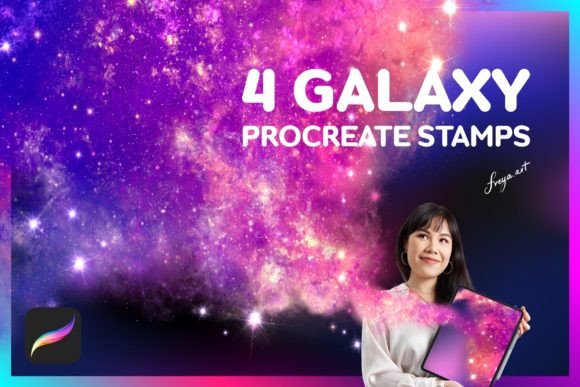
The set in question includes two Rising Star Stamp Brushes, two Galaxy Stamp Brushes, and a bonus Paper Texture. While the component count may seem modest compared to massive bundles containing hundreds of assets, the value lies in specificity and usability. This article evaluates the practical application of these brushes, examining their performance, compatibility, and long-term utility for professionals, hobbyists, and content creators alike.
Understanding the Core Components
To determine whether this toolset fits your needs, it is essential to understand what each brush does. The Galaxy Brushes Procreate collection is not designed for general line work or shading. Instead, it focuses on environmental elements and atmospheric effects.
- Rising Star Stamp Brushes: These are designed to place star clusters with varying density and brightness. Unlike a static image paste, these brushes respond to stroke speed and pressure, allowing for organic distribution.
- Galaxy Stamp Brushes: These create nebula-like clouds and cosmic dust formations. They are ideal for building depth in space-themed illustrations or adding dreamy, ethereal backgrounds to portrait work.
- Paper Texture: This bonus asset provides a subtle grain overlay. When used with blending modes like Multiply or Overlay, it can break up the sterile, digital look of vector-style art, adding a tactile quality to the final piece.
The inclusion of the paper texture is a thoughtful addition. Many digital artists struggle with making their work feel "grounded." A high-quality texture can unify disparate elements, making a composite image feel more cohesive.
Performance and Usability with Apple Pencil
A critical aspect of any Procreate brush is how it interacts with hardware. The documentation for this set explicitly states that the brushes work best when used with an Apple Pencil because they rely on pressure sensitivity. This is not merely a suggestion; it is a functional requirement for optimal results.
When using the Rising Star brushes, light pressure yields sparse, faint stars, while heavier pressure creates dense, bright clusters. This dynamic range allows for nuanced control. If you are using a capacitive stylus or your finger, you will lose this variability, resulting in uniform, repetitive patterns that can look artificial. For professionals who demand precision, the Apple Pencil integration ensures that every stroke feels intentional rather than automated.
Furthermore, the responsiveness of these brushes contributes to a smoother workflow. In time-sensitive projects, such as social media content creation for marketers or quick concept sketches for entrepreneurs, the ability to generate complex galaxy effects in seconds rather than hours is a significant productivity booster. The brushes eliminate the need to manually paint individual stars or blend multiple layers of color to achieve a nebula effect.
Real-World Applications and Audience Fit
Who benefits most from Galaxy Brushes Procreate? While the name suggests a niche focus on space art, the utility extends further. Here are several scenarios where these tools add value:
- Fantasy and Sci-Fi Illustrators: This is the primary audience. Creating realistic space backgrounds from scratch requires advanced knowledge of lighting, color theory, and particle effects. These brushes streamline that process, allowing artists to focus on composition and character design.
- Graphic Designers and Marketers: Cosmic themes are popular in branding for tech startups, wellness products, and creative agencies. The ability to quickly generate high-quality celestial backgrounds can speed up the design of posters, social media headers, and promotional materials.
- Educators and Content Creators: Teachers creating engaging visual aids for astronomy lessons, or YouTubers designing thumbnails, can use these stamps to add visual interest without needing extensive graphic design skills.
- Hobbyists and Journalers: The paper texture and star stamps are excellent for digital journaling. They add a decorative, whimsical element to daily logs or creative writing projects.
It is important to note that these brushes are not a substitute for foundational drawing skills. They are enhancers. A poorly composed image will remain poorly composed even with high-quality stamps. However, for those who already possess basic digital literacy, these tools lower the barrier to entry for creating polished, professional-looking cosmic scenes.
Technical Limitations and Compatibility
Transparency regarding limitations is crucial for any honest evaluation. The most significant constraint is software compatibility. As clearly stated by the developer, Procreate brushes are made for the Procreate app for iPad and do not work in other software like Adobe Photoshop. This is a common point of confusion for beginners who assume brush files are universal. If your workflow relies heavily on Photoshop or Clip Studio Paint, this product will not be useful to you unless you are willing to switch platforms or use workarounds that often degrade quality.
Additionally, because this is an instant download, there is no physical product. Users must be comfortable with digital file management. After purchase, you download the .brushset file and import it directly into Procreate. While this process is straightforward for most users, those unfamiliar with iOS file systems may need to consult tutorials. The benefit, however, is immediate access. There is no shipping wait time, allowing you to integrate the tools into your current project instantly.
Quality and Long-Term Value
When assessing long-term value, consider the reusability of the assets. Unlike a single-use template, these brushes can be employed across countless projects. The Rising Star and Galaxy stamps are versatile enough to be used in different color palettes. By adjusting the hue, saturation, and brightness within Procreate, you can transform a blue nebula into a purple or orange one, adapting the tool to various brand guidelines or artistic moods.
The consistency of the stamps is another strength. Hand-painting stars often leads to irregularities that may distract from the main subject. These brushes provide a consistent aesthetic that maintains visual harmony. Over time, as you become familiar with the pressure sensitivity and stroke behavior, you will develop a muscle memory that speeds up your workflow further.
However, users should be aware of the potential for overuse. Because the stamps are easy to apply, there is a risk of cluttering an artwork with too many elements. Professional restraint is necessary. The best approach is to use these brushes as underlying layers or subtle accents rather than the focal point, unless the specific goal is a dense star field.
Final Recommendations
The Galaxy Brushes Procreate set represents a focused, practical tool for digital artists working within the iPad ecosystem. It is not a comprehensive suite for all types of illustration, but it excels in its specific domain. For creators who frequently incorporate celestial motifs, atmospheric backgrounds, or textured overlays, this set offers a reliable and efficient solution.
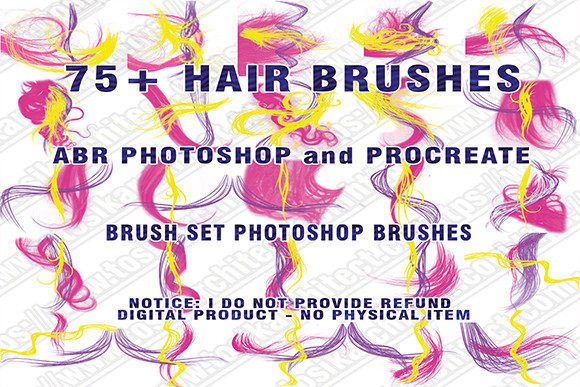
Before purchasing, ensure that you are using an iPad with Apple Pencil support to fully leverage the pressure-sensitive features. If you are a Photoshop user, look for equivalent ABR files instead. For Procreate users, particularly those balancing professional deadlines with creative quality, this instant download provides a worthwhile enhancement to their digital toolkit. It bridges the gap between complex manual techniques and efficient digital production, allowing artists to spend less time on repetitive details and more time on creative expression.