Evaluating the Utility of Abstract Art Photoshop Brushes for Modern Design Workflows
In the evolving landscape of digital design, the demand for unique, non-repetitive textures and elements continues to grow. Designers, illustrators, and craft enthusiasts often find themselves searching for tools that break the monotony of standard vector shapes and clean gradients. This is where specialized brush sets come into play. Specifically, the Abstract Art Photoshop Brushes collection represents a focused resource aimed at injecting organic, distressed, and artistic character into digital projects. By examining the technical specifications and practical applications of this 45-brush set, we can determine its true value for professionals and hobbyists alike.
Technical Specifications and Asset Quality
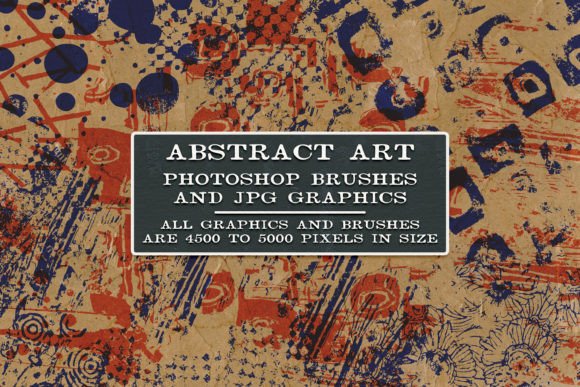
The foundation of any useful digital asset lies in its resolution and compatibility. This particular set includes 45 distinct abstract art brushes packaged in the standard .abr format, ensuring seamless integration with Adobe Photoshop. One of the most critical aspects of this collection is the resolution of the underlying stamp images. Each design is rendered at 5000 pixels with a density of 300 DPI (dots per inch).
For those unfamiliar with print standards, 300 DPI is the industry benchmark for high-quality physical printing. Many free or low-cost brush sets offer lower resolutions, which may look acceptable on a screen but become pixelated or blurry when printed on paper, fabric, or other materials. The inclusion of high-resolution source files means these brushes are not limited to web graphics; they are robust enough for large-format prints, sublimation transfers, and detailed collage work.
Furthermore, the package includes flattened black and white JPG files for each design. This is a significant usability feature. It allows users to import the textures into other software programs that do not support .abr files, such as Procreate, Affinity Photo, or various clip-art based crafting applications. This flexibility extends the lifespan and utility of the purchase beyond the Adobe ecosystem.
Aesthetic Characteristics and Visual Impact
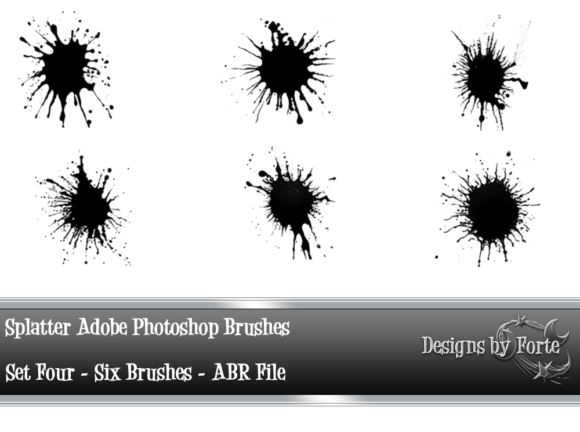
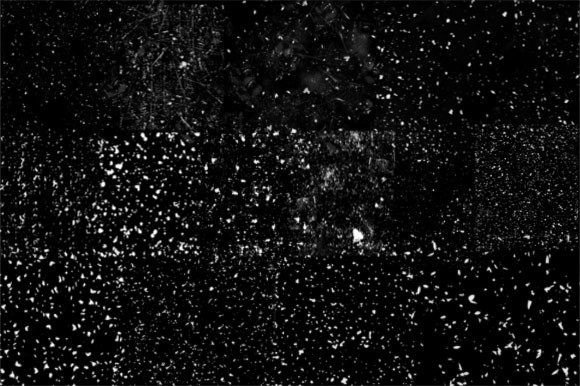
The term "abstract" can be broad, but in the context of this brush set, it refers to organic, irregular, and often distressed forms. These are not geometric precision tools; they are designed to mimic the unpredictability of traditional media like ink splatters, dry brush strokes, charcoal smudges, and worn paper edges.
The primary strength of these Abstract Art Photoshop Brushes is their ability to add a tactile quality to digital designs. In an era where much of our visual consumption is sleek and polished, introducing a "distressed" look can create visual interest and emotional resonance. The brushes vary in density and opacity potential, allowing for layering. A single click might produce a bold, solid shape, while a lighter touch or reduced flow setting can create subtle, weathered textures that serve as background elements rather than focal points.
Practical Applications Across Industries
Understanding who benefits from this tool requires looking at specific use cases. The versatility of the 45-design set makes it relevant for several distinct groups:
- Digital Marketers and Social Media Managers: Creating eye-catching social media posts often requires breaking through the noise. Adding abstract, grunge-style overlays to product photos or text backgrounds can make static images feel more dynamic and authentic.
- Print-on-Demand Entrepreneurs: For those selling t-shirts, mugs, or posters via sublimation or direct-to-garment printing, the 300 DPI resolution is essential. The abstract nature of the brushes allows for unique, one-of-a-kind designs that do not rely on copyrighted characters or trending memes, offering longer shelf-life for products.
- Junk Journalers and Paper Crafters: The digital files can be printed at home to create custom ephemera. Users can print the black and white JPGs on textured paper, cut them out, and use them in physical junk journals, scrapbooks, or collage art. The "distressed" aesthetic aligns perfectly with the vintage, handmade vibe popular in these communities.
- Graphic Designers and Branding Specialists: When developing brand identities for artisanal products, organic food brands, or creative agencies, these brushes can be used to create custom logos, packaging textures, or business card accents that convey a handcrafted feel.
Usability and Workflow Integration
From a workflow perspective, the ease of installation and use is paramount. Since the files are in the native Photoshop format, installation is straightforward. Once loaded, the brushes appear in the brush panel, ready for immediate use. The fact that there are 45 different designs provides a sufficient variety to prevent repetition in a single project. However, it is important to note that these are stamp brushes, not dynamic paint brushes with complex pressure sensitivity curves for tapering lines. They are best used for placing elements, creating textures, or building compositions rather than for freehand drawing.
The inclusion of "free surprise extras" adds an element of value, though users should approach this with managed expectations. Typically, these extras might include additional smaller textures, pattern papers, or complementary icons. While not always the main draw, they can provide useful supporting assets for a complete design kit.
Limitations and Considerations
No tool is without its limitations. Potential users should be aware that these brushes require a degree of creative vision to utilize effectively. Unlike a pre-made template, a brush is a raw material. The user must decide on color, placement, blending modes, and layering. For beginners, this might present a learning curve. Understanding how to use blending modes like "Multiply," "Overlay," or "Screen" in Photoshop is crucial to integrating these abstract shapes naturally into a design.
Additionally, while the black and white JPGs are versatile, they lack the transparency information contained in the .abr files. When using the JPGs in other programs, users may need to manually remove the white background using blending modes or masking tools, which adds a step to the workflow. Therefore, for pure efficiency within Photoshop, the .abr files remain the superior option.
Long-Term Value and Verdict
When evaluating the long-term value of the Abstract Art Photoshop Brushes, one must consider the time saved versus the cost. Creating high-quality, high-resolution abstract textures from scratch requires significant skill in traditional media or advanced digital painting techniques. Purchasing a pre-made set allows designers to bypass the creation phase and move directly to composition.
The durability of this asset is high because abstract textures are timeless. Unlike trendy fonts or specific illustration styles that may fall out of favor, grunge, distress, and organic abstract shapes remain staples in design for adding depth and character. The ability to use them for both digital screens and physical prints doubles their utility.
For professionals, this set serves as a reliable toolkit for adding quick texture. For hobbyists, it opens up new creative avenues in digital collage and print crafts. The key to maximizing this resource lies in experimentation. Users are encouraged to view all preview images and mockup examples provided by the creator to understand the scale and style of each brush. Testing different opacities and combining multiple brushes can yield unique results that feel bespoke rather than stock.
In conclusion, this collection of 45 abstract brushes offers a balanced mix of quality, resolution, and versatility. It is particularly well-suited for creators who need to bridge the gap between digital precision and organic imperfection. Whether you are designing a sublimation print for a small business or adding a gritty texture to a digital marketing campaign, these tools provide the necessary raw materials to elevate your visual output. As with any creative asset, its effectiveness depends on the user's willingness to explore layering techniques and integrate these elements thoughtfully into their broader design strategy.