Sprayed Photoshop Brushes: Bringing Authentic Street Art Texture to Digital Design
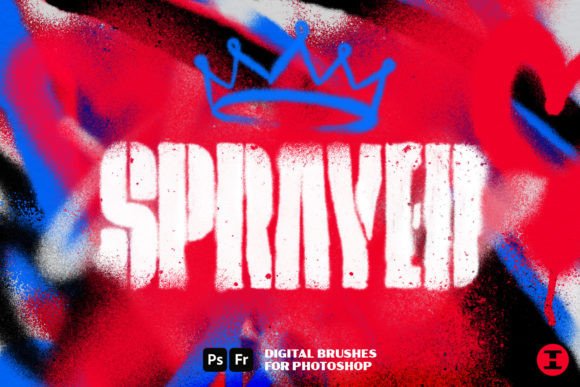
There is a distinct difference between digital art that looks clean and digital art that feels alive. For years, graphic designers and illustrators have struggled to bridge the gap between the sterile precision of software tools and the chaotic, organic energy of physical media. This is where Sprayed Photoshop Brushes step in to change the workflow entirely. By introducing Sprayed—the ultimate digital spray can brush set for Photoshop—creators can finally recreate the look of real spray paint without any of the mess, fumes, or ventilation requirements of an actual can.
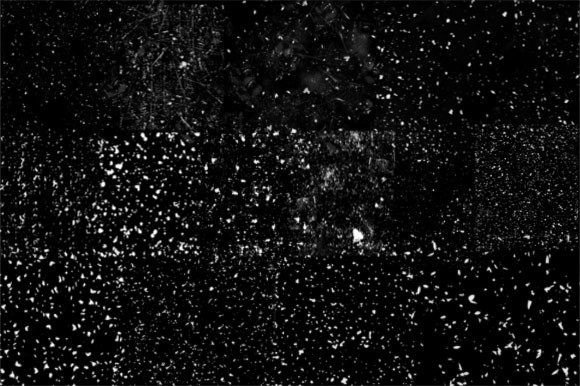
The core promise of this toolset is authenticity. These brushes were not generated by algorithms guessing what paint might look like; they were made from hi-res scans of actual spray paint. This foundational detail matters because it captures the subtle imperfections, the granular texture of pigment hitting a surface, and the unpredictable bleed that defines urban art. Whether you are creating bold graphics for a marketing campaign, adding gritty texture to a photo manipulation, or designing album covers, these brushes provide the natural feel and flow that standard digital tools often lack.
Why Realism Matters in Digital Workflows
In the current digital landscape, audiences are increasingly savvy. They can spot stock textures and generic filters from a mile away. When a design feels too perfect, it often fails to connect emotionally. Using Sprayed Photoshop Brushes allows designers to inject humanity into their work. The variety of shapes, sizes, and spray patterns means you are not limited to one aesthetic. You can achieve smooth, controlled lines for typography or let loose with aggressive drips and splatters for background elements.
Consider the time saved during the creative process. Traditionally, achieving a realistic spray paint effect required complex layering, custom mask creation, and extensive trial and error. With a dedicated brush set designed for this specific purpose, the learning curve flattens significantly. You get immediate results that look professional, allowing you to focus on composition and message rather than fighting with software settings.
Practical Applications for Creators and Businesses
The versatility of these brushes extends far beyond simple graffiti emulation. Different professionals can leverage this tool in unique ways to solve specific design challenges.
Branding and Marketing Materials
For small business owners and marketers targeting younger demographics, authenticity is currency. A local coffee shop launching a new cold brew line might use crisp edges and vibrant colors to create eye-catching social media assets. Conversely, a music festival promoter could use heavy drips and splatters to convey energy and rebellion. The ability to switch between controlled sprays and chaotic bursts means one toolset can serve multiple brand voices. It adds a tactile quality to digital ads that makes them stand out in crowded feeds.
Urban Art and Illustration
Digital illustrators who specialize in street art styles often find standard round brushes limiting. They lack the pressure sensitivity nuance and the specific dispersion pattern of aerosol caps. With Sprayed Photoshop Brushes, artists can mimic the behavior of different nozzles. Fat caps create broad, soft edges ideal for backgrounds, while skinny caps allow for detailed linework. This level of control enables the creation of complex murals digitally, which can then be printed at large scales or used as reference for physical projects.
Photo Editing and Texturing
Photographers and retouchers frequently need to add grit to polished images. A high-fashion editorial shot might benefit from a subtle overlay of spray texture to give it an edgy, underground vibe. Instead of searching for royalty-free texture images that may not fit the lighting or perspective of the original photo, designers can paint the texture directly onto the image. This ensures the shadows and highlights align perfectly, maintaining the integrity of the original photograph while adding a layer of artistic interpretation.
Who Benefits Most from This Toolset?
While professional graphic designers are the obvious users, the accessibility of Sprayed Photoshop Brushes opens doors for a wider audience. Educators teaching digital art can use these brushes to demonstrate how traditional techniques translate to digital mediums. Hobbyists looking to personalize gifts, such as custom t-shirt designs or poster prints, can achieve professional-grade results without needing years of training.
Freelancers also benefit significantly. Time is money, and having a reliable library of high-quality brushes reduces the need to create custom assets from scratch for every client. If a client requests a "grunge" or "urban" look, having a trusted tool like Sprayed allows the freelancer to deliver high-quality work quickly, improving turnaround times and client satisfaction.
Considerations Before You Start Spraying
Before downloading or purchasing any brush set, it is important to understand how to integrate it into your existing workflow. While Sprayed Photoshop Brushes are designed for ease of use, mastering them requires some experimentation. Here are a few practical considerations:
- Tablet Pressure Sensitivity: To truly replicate the natural feel of spray cans, using a graphics tablet is highly recommended. Mouse users may find it difficult to control the opacity and flow variations that make spray paint look realistic. The brushes respond to pressure, allowing for dynamic line weight and density.
- Layer Management: Spray paint is translucent. To achieve depth, you should work across multiple layers. Start with broad base coats on lower layers and add details, drips, and highlights on separate layers above. This non-destructive approach allows you to tweak individual elements without ruining the entire composition.
- Color Theory and Blending: Real spray paint blends wet-on-wet. In Photoshop, you may need to adjust blending modes like Multiply or Overlay to simulate how pigments interact with underlying colors. Experimenting with these settings will help you avoid the "sticker" look where textures appear pasted on top rather than integrated into the design.
From Concept to Completion
The journey from a blank canvas to a finished piece using Sprayed Photoshop Brushes is intuitive. Start by sketching your layout with a basic pencil brush. Once satisfied with the composition, select a wide spray pattern from the set to block in your main shapes. Use the hi-res scanned textures to build up color gradually, mimicking the way paint accumulates on a wall. Add crisp edges for definition and introduce random splatters to break up uniformity.
Remember, the goal is not perfection but character. The beauty of spray paint lies in its unpredictability. Let the brushes do some of the work for you. If a drip goes slightly off-course, incorporate it into the design. This adaptability is what makes digital spray tools so powerful—they offer control while preserving the soul of analog art.
Ultimately, whether you are designing a logo, illustrating a comic book, or adding texture to a website header, the right tools make all the difference. Sprayed Photoshop Brushes provide a bridge between the physical and digital worlds, offering a solution that is both practical and inspiring. By understanding the nuances of these brushes and applying them thoughtfully, you can elevate your designs from ordinary to extraordinary, capturing the raw energy of street art with the precision of modern technology.