Adobe Photoshop Abstract Brushes Guide
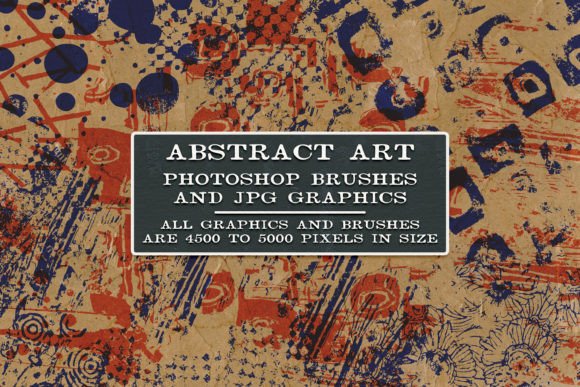
Digital art and graphic design often hinge on the subtle details that separate a flat image from a dynamic composition. Adobe Photoshop Abstract Brushes serve as powerful tools for adding texture, depth, and unique visual interest to any project. Unlike standard round or square brushes, abstract variants offer irregular shapes, splatters, grunge effects, and organic patterns that mimic real-world media or introduce entirely new digital aesthetics. Whether you are refining a photograph or building a brand identity from scratch, these brushes provide a shortcut to complex textures that would otherwise take hours to create manually.
Understanding the Versatility of Abstract Tools
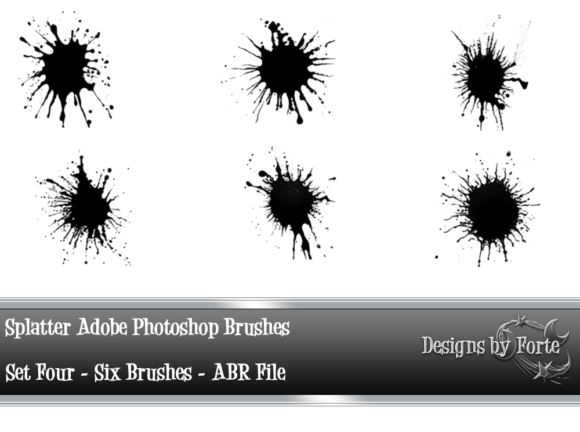
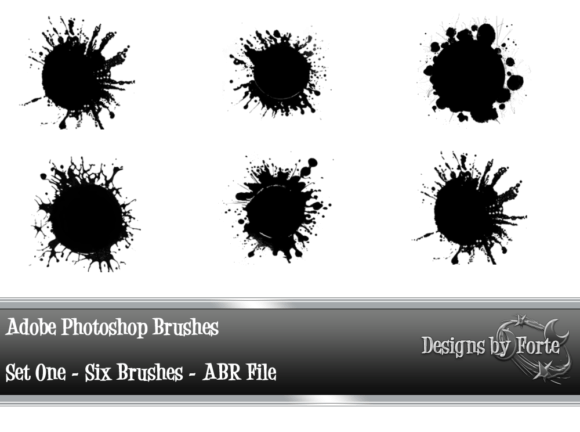
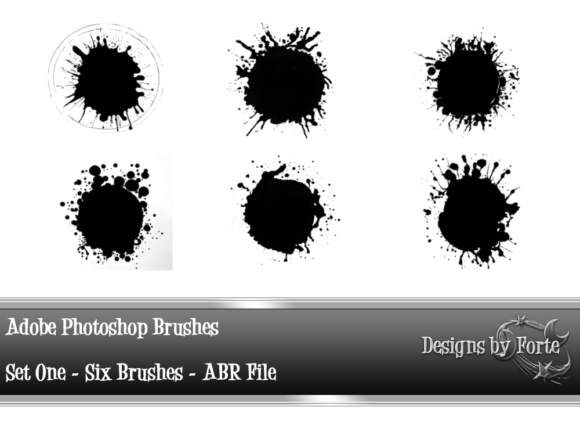
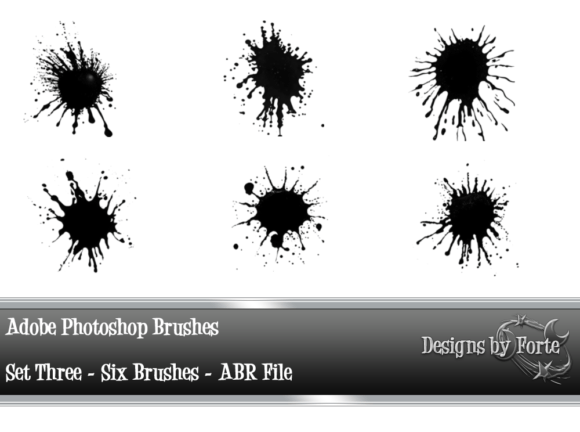
The core value of abstract brushes lies in their adaptability. A single brush tip can produce vastly different results depending on the settings applied. By adjusting opacity, flow, scattering, and size jitter, users can transform a harsh, edgy stamp into a soft, dreamy overlay. This flexibility is crucial because it allows one toolset to serve multiple purposes across different industries and creative disciplines. The Six Abstract Adobe Photoshop Brushes Set Two exemplifies this range. With just six distinct tips, artists can generate a wide array of effects, proving that quantity is not always superior to quality when the tools are well-designed.
For many, the hesitation to adopt new brush sets stems from a fear of complexity. However, modern abstract brushes are designed to be intuitive. They work seamlessly within the standard Photoshop interface, meaning there is no steep learning curve for basic application. The true mastery comes from experimentation—testing how a brush interacts with different layers, blend modes, and color palettes.
Perspectives for Beginners and Hobbyists
If you are new to digital editing, Adobe Photoshop Abstract Brushes can feel like a revelation. Beginners often struggle with creating realistic textures or interesting backgrounds. Standard tools require precise manual control, which can be frustrating without years of practice. Abstract brushes bypass this barrier by providing pre-made shapes that look professional instantly.
- Ease of Use: Beginners can achieve high-quality results with simple clicks and drags, boosting confidence and encouraging further exploration.
- Learning Value: Experimenting with these brushes teaches fundamental concepts like layer masking and opacity control in a low-stakes environment.
- Cost-Effectiveness: Many abstract brush sets, including smaller packs like the six-brush collection mentioned, are affordable or free, making them accessible entry points for hobbyists.
A hobbyist creating digital scrapbooks or greeting cards might use a soft, cloudy abstract brush to create a vintage background. The goal here is not technical perfection but emotional resonance. The brush allows them to convey nostalgia without needing advanced illustration skills.
Professional Designers and Commercial Creators
For professionals, time is money. Freelancers, marketers, and agency designers evaluate tools based on efficiency and commercial viability. Adobe Photoshop Abstract Brushes are valued not just for their aesthetic appeal but for their ability to speed up workflow. When a client requests a "gritty urban" look for a poster or a "soft ethereal" vibe for a beauty campaign, having a reliable set of abstract brushes allows the designer to iterate quickly.
Professionals also prioritize reliability and resolution. High-quality brushes must maintain clarity at various sizes and integrate smoothly with other design elements. The Six Abstract Adobe Photoshop Brushes Set Two works with Photoshop Elements, which is significant for small business owners or marketers who may not have the full Creative Cloud subscription. This compatibility ensures that even those using lighter software versions can access professional-grade textures.
- Brand Consistency: Marketers can use specific abstract textures to create a recognizable visual language across social media posts and ads.
- Product Mockups: Designers can add subtle grunge or light leaks to product images to make them stand out in crowded e-commerce listings.
- Client Presentations: Quick texturing helps in creating compelling mood boards that communicate ideas effectively before final production.
Educators and Content Creators
Educators and bloggers operate in a space where visual engagement drives retention. A wall of text is less appealing than an article interspersed with custom graphics. Adobe Photoshop Abstract Brushes allow educators to create unique headers, dividers, and emphasis marks that align with their teaching style. For a history teacher, a parchment-like abstract brush might frame key dates. For a science blogger, a cellular or organic pattern could highlight important facts.
Content creators on platforms like YouTube or Instagram also benefit. Thumbnails need to pop, and abstract elements can add depth without cluttering the message. A creator might use a bold, edgy brush stroke to underline a title, drawing the viewer’s eye immediately. The priority here is visual hierarchy and speed. Since content schedules are tight, tools that deliver quick, customizable results are essential.
Choosing the Right Approach for Your Needs
Not all abstract brushes are created equal, and not every project requires the same approach. To determine if a specific set like the six-brush collection matches your goals, consider your primary objective:
For Speed and Efficiency: Look for brushes that require minimal adjustment. If you can drop the brush onto the canvas and achieve the desired effect with only opacity changes, it is a good fit for high-volume work.
For Creativity and Exploration: Choose brushes with complex tips that react differently to pressure and tilt. These invite playfulness and are ideal for personal projects or artistic experiments where the journey is as important as the result.
For Specific Aesthetics: Identify the mood you want to convey. Soft, diffused brushes suit romantic or calming themes. Sharp, jagged brushes suit energetic or aggressive themes. The Six Abstract Adobe Photoshop Brushes Set Two offers a balance, allowing users to toggle between these extremes by altering brush settings.
Practical Application Tips
To get the most out of Adobe Photoshop Abstract Brushes, avoid using them at full opacity immediately. Start with a lower opacity, around 30-50%, and build up the effect with multiple strokes. This technique creates depth and prevents the texture from looking flat or stamped-on. Additionally, experiment with blend modes. Setting a brush layer to "Overlay" or "Soft Light" can integrate the texture with the underlying image more naturally than the default "Normal" mode.
Another effective strategy is to combine abstract brushes with masks. Paint the brush onto a layer mask rather than directly on the image. This non-destructive method allows you to refine the edges and intensity of the effect later, ensuring precision in professional workflows.
Final Thoughts on Digital Texture
Incorporating abstract elements into your digital toolkit expands your creative vocabulary. Whether you are a small business owner designing a flyer, a student working on a presentation, or a seasoned illustrator seeking new inspiration, these brushes offer a versatile solution. They bridge the gap between technical skill and artistic vision, allowing users to focus on composition and message rather than getting bogged down in manual texture creation. By understanding how different audiences utilize these tools, you can better assess their value for your own projects and unlock new possibilities in your digital work.