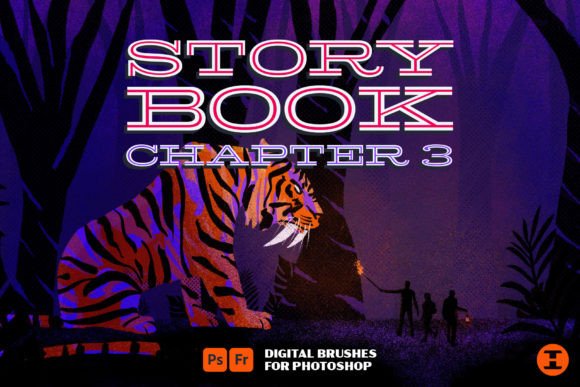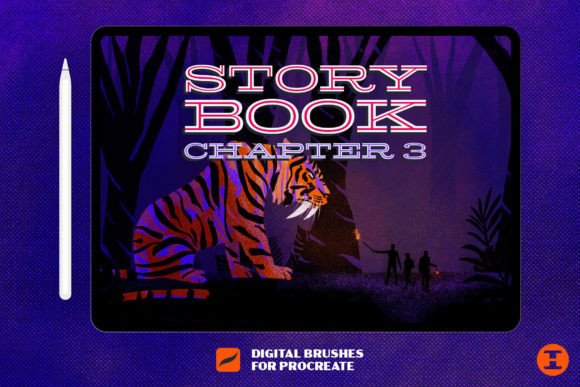
Unlocking Digital Texture: A Deep Dive into Storybook Chapter 3 Procreate Brushes
In the rapidly evolving world of digital illustration, the gap between traditional media and screen-based art continues to narrow. For artists using iPad Pro and Procreate, the quest for authenticity often leads them away from sterile, perfect vectors and toward tools that mimic the beautiful imperfections of physical materials. This is where Storybook Chapter 3 enters the conversation. As the final installment in a celebrated trilogy of digital brush sets, this collection offers more than just utility; it provides a tactile experience that transforms how stories are visually told.
Whether you are a seasoned illustrator looking to refine your workflow or a beginner eager to understand the power of texture, understanding the components of this brush set can significantly elevate your creative output. This article explores the specific features of Storybook Chapter 3, including its grit markers, chunky chalk, and halftones, while explaining why these tools matter in modern digital design.
The Evolution of Digital Storytelling Tools
To appreciate the value of Storybook Chapter 3, one must first understand the context of digital art evolution. Early digital painting often suffered from a "plastic" look. Lines were too smooth, colors too flat, and shadows too uniform. Artists craved the grit, the texture, and the organic randomness found in pencil on paper or ink on cardboard.
The Storybook series was developed to address this exact need. While previous chapters introduced foundational tools, Chapter 3 focuses heavily on atmosphere and mood. It is not merely about drawing a line; it is about drawing a line that feels like it has history. This shift is crucial for creators in industries ranging from children’s book illustration to graphic novel production, where emotional resonance is tied directly to visual texture.
Why Texture Matters in Modern Design
Texture serves several critical functions in visual communication:
- Depth and Dimension: Flat images can feel distant. Textured brushes add layers that make an image feel tangible.
- Emotional Tone: A gritty marker stroke conveys urgency or roughness, while soft chalk suggests nostalgia or warmth.
- Visual Interest: Human eyes are drawn to complexity. Subtle noise and grain prevent large areas of color from appearing boring.
By integrating these elements, artists can create work that stands out in a saturated digital marketplace. The Storybook Chapter 3 brushes are designed specifically to facilitate this level of nuanced expression.
Breaking Down the Brush Set: Over 30 Tools for Every Need
The core of Storybook Chapter 3 is its diverse array of over 30 custom brushes. Each tool has been engineered to respond naturally to Apple Pencil pressure and tilt, ensuring that the digital experience mimics the physical one. Let us explore the key categories included in this package.
1. Mono Liners: Precision with Personality
While many artists focus on broad strokes, the foundation of any good illustration often lies in its line work. The mono liners included in this set are not your standard technical pens. They offer consistent width but include subtle textural variations that prevent lines from looking computer-generated. These are ideal for:
- Comic book inking
- Detailed character outlines
- Architectural sketches that require clarity without sterility
Unlike basic round brushes, these mono liners maintain their integrity even at high speeds, making them reliable for quick sketching sessions.
2. Grit Markers: The Star of the Show
The author of this collection cites the grit markers as their absolute favorite, and for good reason. Traditional markers often bleed or leave streaks. These digital counterparts capture that authentic, slightly uneven application of ink. They are perfect for adding bold, expressive shapes that feel hand-drawn. When you use these brushes, you are not just filling space; you are adding character. They excel in creating poster art, zine aesthetics, and bold typography.
3. Chunky Chalk and Soft Pastels
For softer applications, the set includes several chunky chalk brushes. These tools simulate the dry, powdery application of pastel on rough paper. They are invaluable for:
- Creating dreamy backgrounds
- Adding soft highlights to characters
- Simulating sidewalk art aesthetics
The beauty of these brushes lies in their blendability. They allow for gradual transitions between colors, helping artists achieve a painterly look without the complexity of oil painting simulations.
Beyond Brushes: Textures and Halftones
A common misunderstanding among new digital artists is that brushes alone are enough to create a textured look. However, true depth often comes from the background and shading layers. Storybook Chapter 3 addresses this by including specialized assets beyond standard brushes.
Paper Textures for Authenticity
The set includes several high-resolution paper textures. These can be used as background layers to give the entire canvas a physical substrate. By placing a paper texture layer at the top of your stack and setting the blending mode to "Multiply" or "Overlay," you instantly unify your artwork. It makes disparate elements feel like they belong on the same page. This technique is widely used in professional editorial illustration to bridge the gap between digital creation and print publication.
Grungy Halftones for Shading
Halftones are a staple of comic book art and pop art, traditionally created using dots of varying sizes to simulate gradient shading. The grungy halftones in this set offer a modern twist. They are not perfect, clean dots; they are irregular and textured. This allows artists to add shading that feels vintage and worn. Using these for shadows instead of soft airbrushes can dramatically change the mood of an illustration, giving it a retro, printed feel that is highly trendy in contemporary graphic design.
Practical Applications in Daily Creative Work
How do these tools fit into the daily workflow of a creator? The versatility of Storybook Chapter 3 means it applies to various fields:
Education: Teachers creating engaging digital worksheets can use the chalk and marker brushes to make materials feel friendly and approachable, reducing the intimidation factor of sterile digital documents.
Business and Marketing: Social media managers can use the grit markers and halftones to create eye-catching graphics that stand out in a feed dominated by polished corporate photography. The "hand-made" aesthetic often generates higher engagement because it feels personal and authentic.
Creativity and Hobbyists: For journaling enthusiasts using apps like GoodNotes or Procreate, these brushes transform digital planning into an artistic outlet. The mono liners are perfect for legible handwriting, while the textures add decorative flair to daily logs.
Common Misconceptions About Digital Texture
Many beginners assume that adding texture requires complex layering or advanced knowledge of Photoshop-style blending modes. While those skills are helpful, the Storybook Chapter 3 brushes are designed to be intuitive. The texture is built into the brush engine itself. This means you do not need to spend hours adjusting settings. You simply select the brush and draw. The grit is automatic, allowing you to focus on composition and storytelling rather than technical troubleshooting.
Another misconception is that textured brushes are only for "rough" or "messy" art styles. In reality, tools like the mono liners and subtle paper textures can enhance clean, minimalist designs by adding just enough warmth to prevent them from feeling cold. It is about balance, not chaos.
Conclusion: Tell Your Story Today
The final chapter in this trilogy of digital brushes represents a culmination of thoughtful design and artistic insight. With over 30 brushes, including mono liners, grit markers, chunky chalk, and specialized textures, Storybook Chapter 3 provides a comprehensive toolkit for any digital artist. It bridges the gap between the convenience of digital media and the soul of traditional art.
By incorporating these tools into your workflow, you are not just changing how your art looks; you are changing how it feels. You are inviting viewers to experience the grit, the grain, and the humanity behind the screen. Whether you are illustrating a children's book, designing a brand identity, or simply sketching for fun, these tools empower you to tell your story today with authenticity and depth. Embrace the imperfections, explore the textures, and let your creativity flow with the confidence that your digital tools can finally keep up with your imagination.