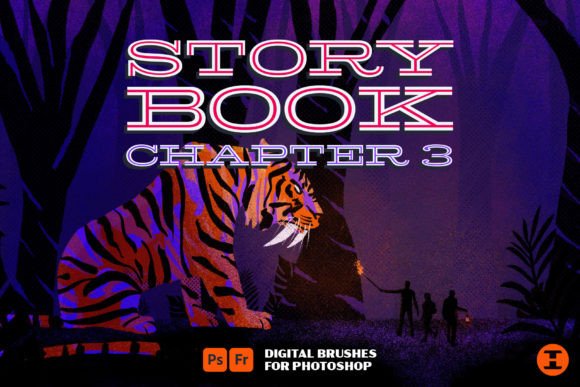
Unleashing Raw Texture: A Deep Dive into Storybook Ch. 3 Photoshop Brushes
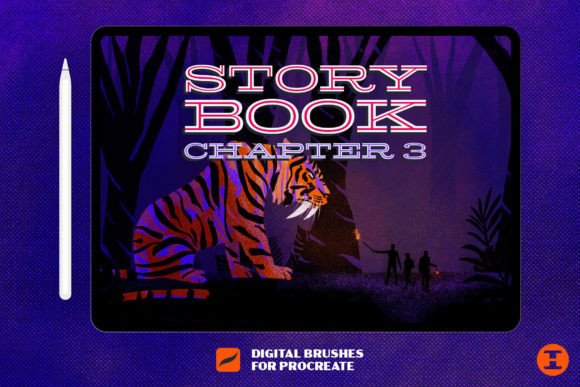
In the vast digital landscape of graphic design, where sleek vectors and polished gradients often dominate, there remains an enduring hunger for the imperfect. The human eye is naturally drawn to authenticity—to the rough edge of torn paper, the uneven stroke of charcoal, and the gritty residue of ink on weathered surfaces. For designers seeking to inject this tangible soul into their digital workflows, Storybook Ch. 3 Photoshop Brushes arrives not merely as a toolset, but as a narrative device. As the final chapter in a celebrated trilogy, this collection bridges the gap between sterile digital precision and the chaotic beauty of analog media.
The Evolution of Digital Grit
To understand the value of this specific brush pack, one must appreciate the journey of the Storybook series. Previous chapters laid the groundwork, offering essential tools for sketching and basic texturing. However, Storybook Chapter 3 pushes the boundaries further. It is designed for those moments when a project feels too clean, too safe, or too disconnected from reality. By integrating over thirty distinct brushes, this set provides the necessary friction to ground your designs. It is not just about adding noise; it is about crafting a visual history within your artwork.
The core philosophy here is storytelling through texture. Every smudge, every halftone dot, and every chalky streak serves a purpose. It tells the viewer that this image has been touched, handled, and experienced. Whether you are illustrating a children’s book, designing a vintage concert poster, or creating social media graphics that need to stand out in a crowded feed, these brushes offer the tactile depth that flat colors simply cannot achieve.
Anatomy of the Brush Set
What makes Storybook Ch. 3 Photoshop Brushes particularly versatile is the curated variety within its modest count of thirty-plus tools. Rather than overwhelming users with hundreds of redundant options, this collection focuses on high-utility assets that serve specific artistic functions.
The Mono Liners and Grit Markers
Among the most compelling additions are the mono liners and grit markers. For many professionals, the grit marker is the absolute favorite. These brushes simulate the behavior of felt-tip markers that have seen better days—slightly dry, uneven, and rich with character. They are perfect for hand-lettering, outlining illustrations, or adding quick annotations that feel organic rather than computer-generated. The mono liners, conversely, offer a more consistent stroke but retain a subtle roughness that prevents them from looking like standard vector paths. This balance allows for precise control without sacrificing the handmade aesthetic.
Chunky Chalk and Textural Depth
Another standout feature is the inclusion of chunky chalk brushes. Unlike fine pastels, these tools lay down thick, opaque layers of pigment. They are ideal for creating bold backgrounds, highlighting key elements, or adding a sense of weight to your composition. When used with a pressure-sensitive tablet, the variation in opacity and width mimics the physical resistance of chalk on concrete or blackboard, providing a satisfyingly realistic drawing experience.
Backgrounds and Shading Essentials
Beyond the drawing tools, the set includes valuable assets for environmental context. The grungy halftones are particularly useful for shading and creating mid-tone transitions without relying on smooth digital gradients. Halftones evoke a sense of print media history, reminiscent of old newspapers and comic books. Combined with the included paper textures, these elements allow designers to build complex, layered backgrounds that feel established and lived-in.
Practical Applications for Creators
The utility of Storybook Ch. 3 Photoshop Brushes extends across various creative disciplines. Understanding where and how to apply these tools can significantly enhance the quality of your output.
- Brand Identity and Packaging: For brands aiming to convey artisanal quality, sustainability, or heritage, these brushes can be used to create logos and packaging designs that feel handcrafted. A slight grit overlay on a label can suggest small-batch production and care.
- Editorial Illustration: Magazines and online publications often seek imagery that captures attention quickly. The bold strokes of the chunky chalk and the expressive lines of the grit markers allow illustrators to create dynamic, high-contrast images that pop off the page.
- Digital Scrapbooking and Journaling: The rise of digital planning has created a demand for realistic stationery elements. The paper textures and halftones in this set are perfect for creating digital journals that mimic the look of physical diaries.
- Social Media Content: In an era of polished influencer aesthetics, raw and gritty visuals can disrupt the scroll. Using these brushes to add texture to quotes or promotional graphics can make content feel more authentic and relatable.
Evaluating Suitability: Is This Set Right for You?
While the Storybook Ch. 3 Photoshop Brushes are powerful, they are not a one-size-fits-all solution. Potential users should consider their specific workflow and aesthetic goals before integrating them into their library.
Who will benefit most?
- Illustrators who value imperfection: If your style leans towards the abstract, the rustic, or the expressive, these brushes will feel like a natural extension of your hand.
- Designers working with print media: The halftones and paper textures are optimized to look excellent when printed, adding a layer of sophistication to physical deliverables.
- Hobbyists and students: With only thirty brushes, the learning curve is gentle. It is easy to master the entire set, making it an excellent starting point for those new to textural digital art.
Considerations and Limitations
It is important to note that this set focuses on grit and grunge. If your work requires pristine, corporate-clean lines or hyper-realistic photomanipulation, these brushes may serve only a niche role, if at all. Furthermore, while the included paper textures are high quality, they are static images. Users looking for fully procedural, infinitely scalable patterns might need to supplement this set with other tools. However, for the specific purpose of adding analog warmth to digital files, the limitations are minimal.
Techniques for Maximizing Value
To truly harness the power of Storybook Ch. 3 Photoshop Brushes, consider adopting a few best practices. First, experiment with blending modes. Applying a grit marker brush in "Multiply" mode over a colored background yields a different result than using it in "Overlay" or "Normal." Second, vary your pressure sensitivity. These brushes are designed to respond to input dynamics; pressing harder should yield denser, darker marks, while a light touch should produce faint, scratchy lines. Finally, do not be afraid to layer. Combining a halftone pattern with a chunky chalk stroke can create complex visual interest that neither element could achieve alone.
Conclusion: Tell Your Story Today
The digital canvas is often criticized for being too perfect, too forgiving, and ultimately, too cold. Storybook Ch. 3 Photoshop Brushes offers a remedy to this digital sterility. By providing a carefully selected array of mono liners, grit markers, chunky chalk, and textural backgrounds, this set empowers creators to infuse their work with personality and history. It is not just about adding dirt or noise; it is about adding humanity.
Whether you are a seasoned professional looking to refresh your toolkit or a beginner eager to explore the world of textured digital art, this final chapter in the Storybook trilogy provides the essential ingredients for compelling visual storytelling. The tools are ready. The textures are waiting. All that remains is for you to pick up the digital pen and tell your story today.