InkDraw Procreate Brushes: Essential Tools
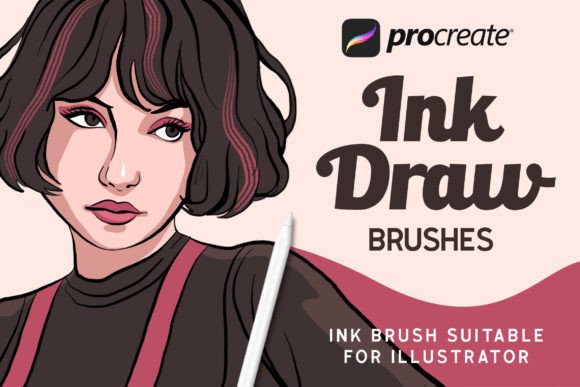
Digital illustration has evolved from a niche hobby into a powerful medium for professional design, personal expression, and commercial branding. For artists working on the iPad, the right tools can make the difference between a flat, digital-looking image and a piece that breathes with organic texture and life. This is where InkDraw Procreate Brushes steps in, offering a curated collection designed to bridge the gap between traditional ink techniques and modern digital convenience. Whether you are a seasoned illustrator looking to streamline your workflow or a beginner eager to create your first logo, understanding how these specific tools function can significantly elevate your creative output.
Why Traditional Ink Aesthetics Matter in Digital Art
There is a timeless appeal to ink. It is bold, decisive, and carries a certain weight that vector lines often lack. However, replicating the unpredictability and texture of real ink on a smooth glass screen can be challenging. Many standard digital brushes feel too uniform, lacking the subtle variations in pressure and texture that give hand-drawn work its character. InkDraw Procreate Brushes addresses this by providing a set of tools that mimic the natural behavior of ink on paper. The result is artwork that feels authentic, retaining the rough edges and fluid dynamics that viewers associate with high-quality handcrafted illustrations.
For entrepreneurs and small business owners, this authenticity is crucial. In a market saturated with generic stock imagery and clean, corporate vectors, brands that utilize textured, hand-drawn elements stand out. These brushes allow you to create logos, packaging designs, and social media graphics that feel personal and approachable. They add a human touch to digital communications, which can help build trust and connection with your audience.
What Is Included in the Package
One of the most appealing aspects of this toolkit is its completeness. You do not need to hunt for additional assets or worry about compatibility issues. The package is designed to be a standalone solution for anyone looking to incorporate ink-style elements into their work. Here is a breakdown of what you receive:
- 15 Ink Brushes: A diverse range of brush types, from fine liners for detailed work to broad strokes for bold backgrounds.
- 20 Swatches: Pre-selected color palettes that complement the ink aesthetic, saving you time on color theory decisions.
- Readme File: Clear instructions to ensure you get started without confusion.
- Installation Guide: Step-by-step directions for both iPad and computer users.
The inclusion of swatches is particularly valuable for beginners. Choosing colors that harmonize with black or dark ink lines can be tricky. These pre-made swatches provide a safe starting point, ensuring your illustrations look cohesive and professional right from the first stroke.
Simplicity in Design and Usage
A common misconception among new digital artists is that advanced tools require complex setups. On the contrary, using InkDraw Procreate Brushes is intentionally straightforward. The philosophy behind the design is efficiency. You do not need to adjust dozens of settings or master complex layer masks to achieve great results. The process is intuitive: simply open your canvas, select the appropriate brush from the brush panel, and start drawing. The brushes are calibrated to respond naturally to the Apple Pencil’s pressure sensitivity, meaning the harder you press, the darker and thicker the line becomes, just like a real pen.
This simplicity supports a wide range of applications. For educators creating visual aids, the quick setup means less time troubleshooting and more time teaching. For bloggers and content creators, it allows for rapid production of custom headers and icons that align with their brand identity without requiring hours of technical tweaking.
Practical Applications for Creators and Professionals
The versatility of these brushes extends far beyond simple sketching. Here are several realistic scenarios where InkDraw Procreate Brushes can solve specific creative problems:
- Logo Design: Many modern brands prefer hand-lettered logos over rigid typography. These brushes allow you to draft unique letterforms with organic imperfections that convey creativity and flexibility.
- Illustrations and Storytelling: If you are creating children’s books or editorial illustrations, the varying line weights available in the 15-brush set can help define characters and environments with depth and emotion.
- Special Backgrounds: Instead of using flat colors, you can use the broader ink brushes to create textured backgrounds. These add visual interest without distracting from the main subject, perfect for website banners or presentation slides.
- Fashion and Product Sketching: Designers can quickly iterate on ideas, using the ink style to convey fabric texture and form in a way that feels dynamic and energetic.
For freelancers, speed is money. Having a reliable set of brushes that perform consistently means you can deliver high-quality work faster. The predictability of the brush behavior allows you to focus on composition and concept rather than fighting with your tools.
How to Install and Get Started
Getting these brushes into your Procreate app is a seamless process, designed to be accessible even for those who are not tech-savvy. Follow these simple steps to begin creating:
First, unzip the downloaded file on your iPad or computer. If you are using a computer, you will need to transfer the files to your iPad. The most efficient method is using the Files App on your iPad. Locate the .brushset files within the folder. Tap each of the .brushset files individually. Procreate will automatically detect the file type and import them instantly. Once imported, they will appear in your Brushes panel, ready for use. There is no need for complicated syncing or third-party software.
It is important to note that while the installation is simple, taking a moment to read the included Readme file can provide helpful tips on maintaining the brushes and understanding any specific features that might enhance your workflow.
Important Considerations Before You Begin
While InkDraw Procreate Brushes are designed for ease of use, there are a few things to keep in mind to maximize their potential. First, ensure your iPad and Procreate app are updated to the latest versions. Brush engines evolve, and newer updates often improve performance and compatibility. Second, remember that digital ink behaves differently than physical ink. It does not bleed or dry, so you have the advantage of undoing mistakes instantly. Use this to your benefit by experimenting boldly.
Additionally, consider the resolution of your canvas. Ink textures look best when there is enough pixel density to render the subtle grain. Working at a higher resolution will ensure that your final exports, whether for print or web, remain crisp and detailed. Finally, do not be afraid to combine these ink brushes with other Procreate features, such as blending modes and layer effects, to create even more complex and interesting visuals.
In conclusion, InkDraw Procreate Brushes offers a practical, high-value solution for anyone looking to add organic, hand-drawn quality to their digital projects. From the fifteen versatile brushes to the twenty helpful swatches, every element is designed to support your creative journey. Whether you are designing a logo for a new business, illustrating a story, or simply exploring your artistic side, these tools provide the reliability and aesthetic appeal needed to bring your vision to life.