Mastering Digital Seascapes with Procreate Ocean Painter Brushes X 20
Digital art has revolutionized the way creators approach traditional mediums, allowing for unprecedented flexibility and efficiency. For artists who specialize in marine themes, capturing the fluidity, transparency, and chaotic beauty of water can be one of the most challenging aspects of their craft. This is where specialized tools become indispensable. The Procreate Ocean Painter Brushes X 20 offer a comprehensive solution for digital artists looking to streamline their workflow while achieving professional-grade results. Whether you are illustrating a calm coastal scene or a turbulent storm at sea, this brush pack provides the necessary textures and dynamics to bring your vision to life.
Understanding the Challenge of Painting Water
Water is notoriously difficult to render because it is never static. It reflects light, refracts objects beneath its surface, and changes shape constantly. Traditional digital painting often requires hours of layering, blending, and manual texturing to mimic the organic look of foam, waves, and ripples. Many artists struggle with creating realistic sea foam that looks natural rather than like white paint splattered on a blue background. Similarly, achieving the right balance between soft, rolling waves and sharp, choppy shorelines requires a high degree of technical skill and patience.
The primary goal for many illustrators is not just to depict water, but to evoke the feeling of being near it. This requires tools that can replicate the subtle nuances of nature. Without the right resources, artists may find themselves stuck in repetitive processes, trying to manually create effects that could be achieved more efficiently with specialized brushes. The need for a versatile toolkit that addresses various states of water—from calm surfaces to rough waters—is essential for maintaining productivity and artistic consistency.
How Procreate Ocean Painter Brushes X 20 Simplifies the Process
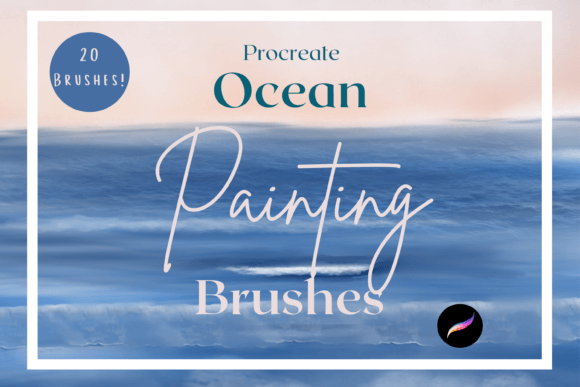
The Procreate Ocean Painter Brushes X 20 are designed to address these specific challenges by providing pre-configured tools that mimic the behavior of real water. This pack includes twenty distinct brushes, each tailored to a specific aspect of seascape painting. For instance, the Sea foam and Foamy edger brushes allow users to quickly add realistic texture to breaking waves, while the Soft ocean painter variants enable smooth color transitions and blending. These tools eliminate the guesswork involved in creating water effects, allowing artists to focus on composition and storytelling rather than technical execution.
One of the standout features of this collection is its versatility. The pack includes brushes like Wave crest, Wave break, and Wave curl guide, which help structure the movement of water in a logical and visually appealing way. For scenes requiring more turbulence, the Choppy shoreline wave and Rough waters brushes provide the necessary irregularity and energy. Additionally, the Canvas sketch style wave and Sketch style sea painter options are perfect for artists who prefer a more hand-drawn, illustrative aesthetic over photorealism. This range ensures that whether you are working on a detailed commission or a quick concept sketch, there is a tool suited to your style.
Practical Applications Beyond Fine Art
While these brushes are powerful for digital paintings, their utility extends far beyond standalone artwork. The Procreate Ocean Painter Brushes X 20 are perfect for DIY projects, whether this be for continued digital crafting or for printed goods. The clip art elements generated using these brushes can be used for greetings cards, scrapbooking, invitations, wall art, wrapping paper, print on demand, and much much more. This makes the brush pack an invaluable asset for small business owners and crafters who need unique, high-quality assets for their products.
For example, a creator designing wedding invitations could use the Calm wave painter to create a serene border that complements a beach-themed ceremony. Similarly, a seller on a print-on-demand platform could utilize the Dense waves and Speckled brushes to design eye-catching patterns for tote bags, phone cases, or home decor items. The ability to customize colors and opacity means that each element can be tailored to fit specific brand guidelines or customer preferences. This flexibility opens up numerous revenue streams for artists who might otherwise limit themselves to selling original illustrations.
Technical Requirements and Setup
To fully leverage the capabilities of this toolset, it is important to understand the technical requirements. These files are digital brushes that will only work within the Procreate App. To be able to use them you will need an Apple Pencil and the Procreate App installed on an iPad Pro. This will not work without this. The precision offered by the Apple Pencil is crucial for controlling the pressure sensitivity and tilt features that many of these brushes rely on to create natural-looking strokes.
Installation is straightforward but requires a few specific steps. To download and install the files you will need a platform to download the files to eg iCloud to be able to unzip the files for eg iZip. Once you have done this the files will then be imported to Procreate within a named folder. Keeping your brushes organized in dedicated folders helps maintain a clean workspace and allows for quicker access during the creative process. It is recommended to test each brush on a separate layer to understand its unique behavior before incorporating it into a larger project.
Tailoring Your Approach to Different Projects
Different users will approach the Procreate Ocean Painter Brushes X 20 differently depending on their goals. A professional illustrator might use the Blend and Watery Painter brushes to create seamless backgrounds for character designs, ensuring that the environment supports the subject without overpowering it. In contrast, a hobbyist interested in journaling might use the Rough foam and Choppy brushes to add dynamic accents to travel logs or memory books. Understanding the specific characteristics of each brush allows users to maximize their potential.
For those new to digital painting, starting with the Soft ocean painter colour change brush can provide a forgiving introduction to blending colors. As confidence grows, users can experiment with the more complex stamps and guides, such as the Foamy edge stamp guide, to add intricate details. The key is to layer these effects thoughtfully, building up the image from broad shapes to fine details. This methodical approach ensures that the final piece remains cohesive and visually balanced.
In conclusion, the Procreate Ocean Painter Brushes X 20 represent a significant advancement for anyone looking to enhance their digital seascape creations. By addressing the common challenges of painting water and offering a wide range of applications, this brush pack empowers artists to produce high-quality work efficiently. Whether you are creating fine art, designing commercial products, or exploring personal creative projects, these tools provide the flexibility and realism needed to succeed in the competitive world of digital design.